AI Virtual Try-On for Fashion Brands
Put your real product photos on AI models — with the length, drape, and silhouette staying true to the garment. Layer full outfits, batch your entire model lineup, and get shots ready to publish in minutes.
$1 per published image · no subscription · $10 free credit to start
From flat-lay to finished shot
One example from GridShot: two flat-lay product photos, reviewed variations, and a delivered model image.
1. Input
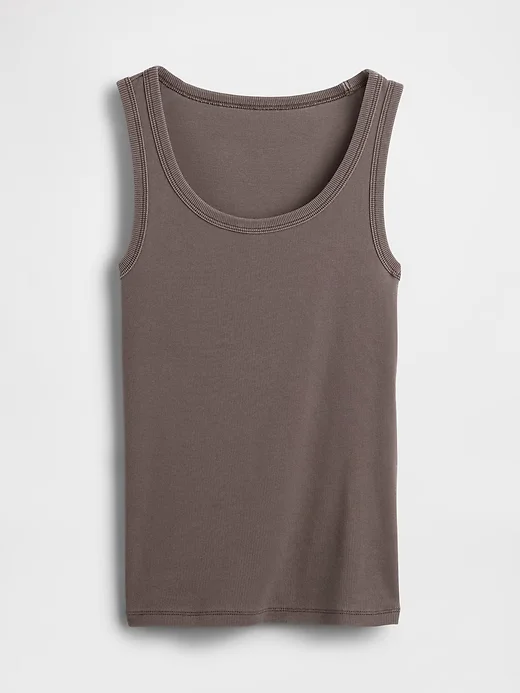
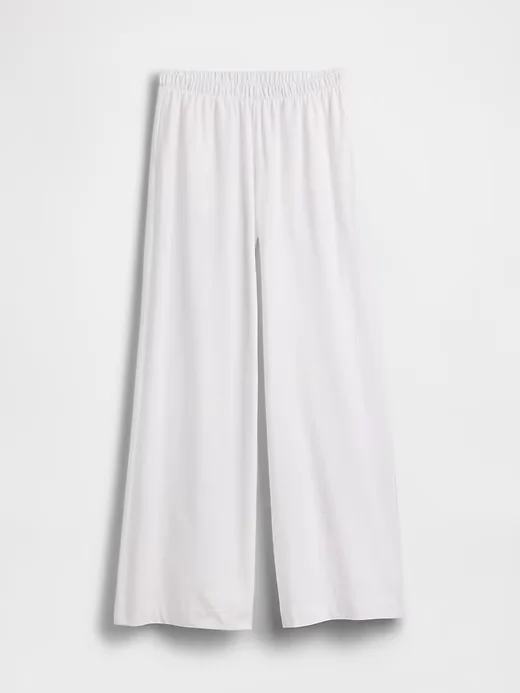
Upload the top and trousers as separate product photos, then choose a model.
2. Review and refine
Image generated with AI.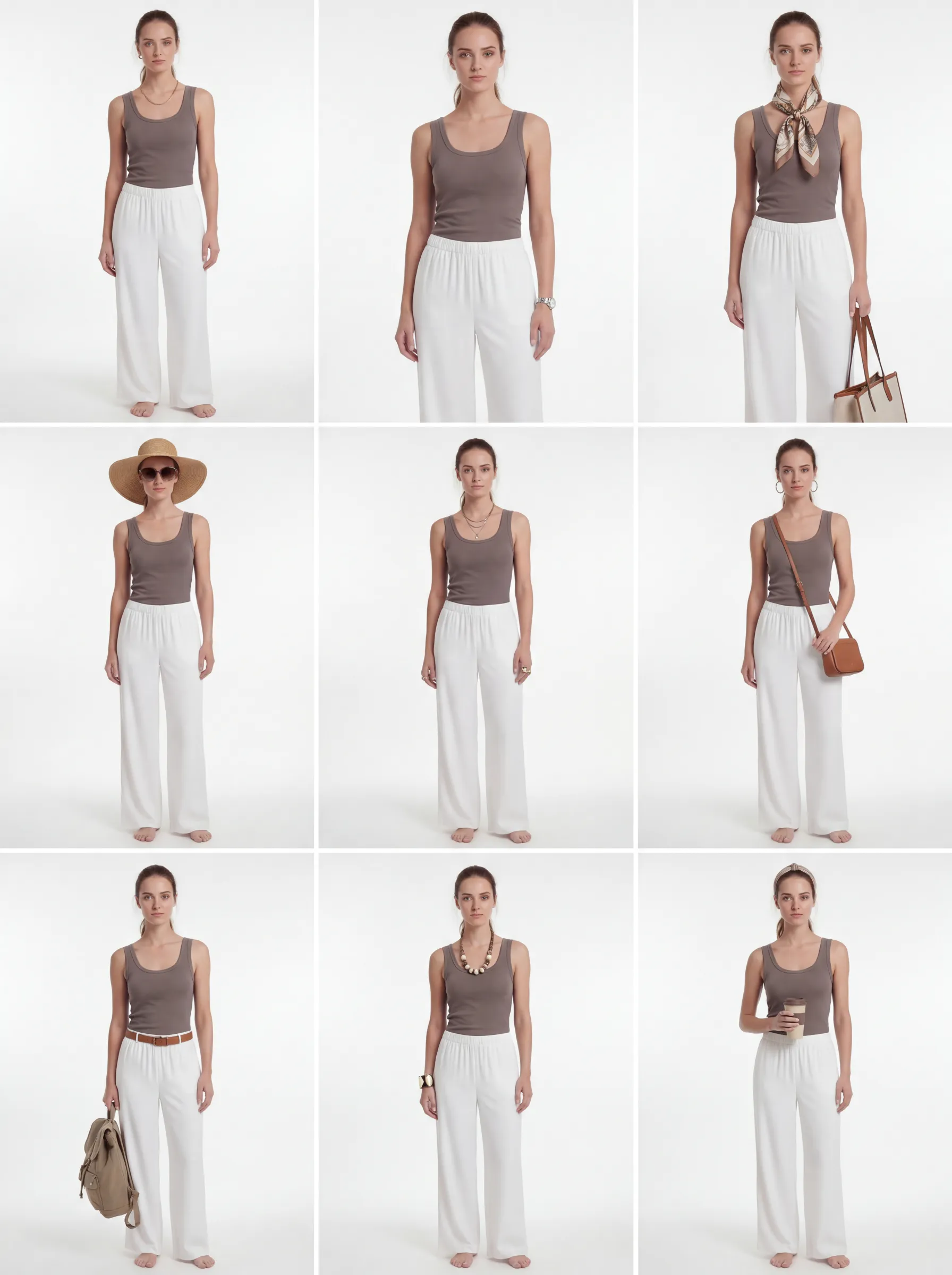
The refined grid explores styling variations. Compare each candidate with the original garments before selecting it.
3. Delivered
Image generated with AI.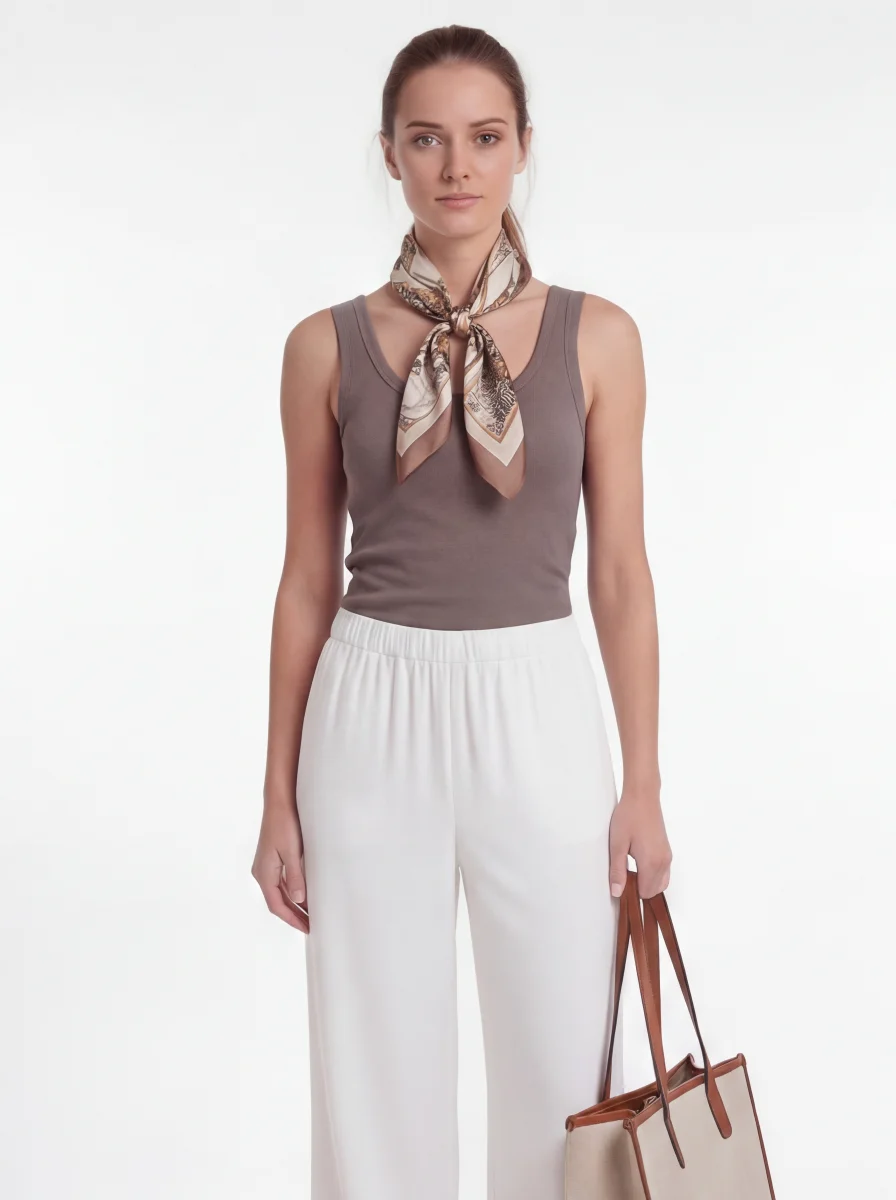
This selected result includes a scarf and bag added during styling. They are not part of the two source products. Check garment details before publishing.
See the first grid and what needed review
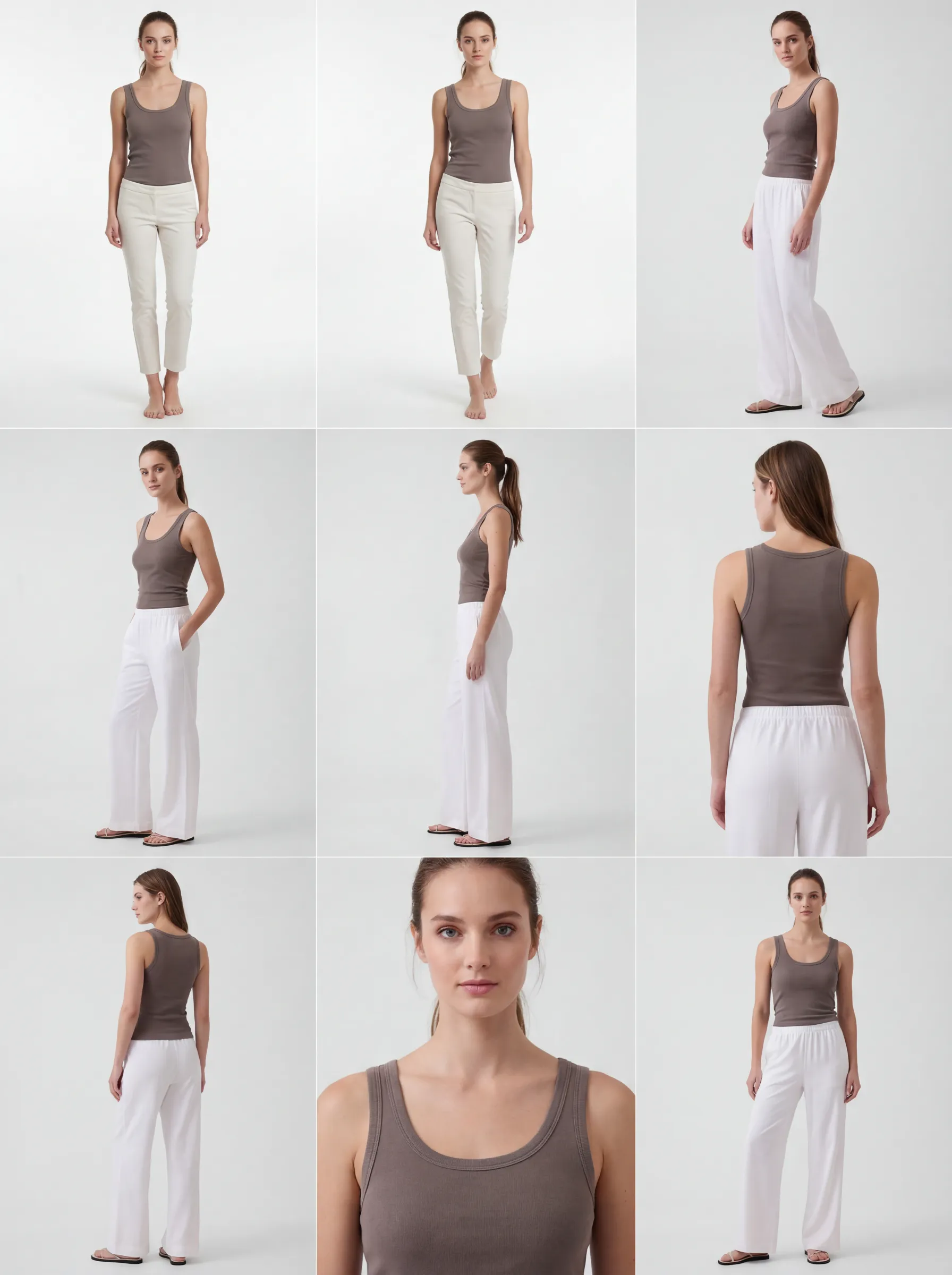 Image generated with AI.
The first two candidates show narrower, shorter trousers than the source photo. This is why selecting and reviewing images is part of the workflow. The refined grid above shows the subsequent styling variations.
What virtual try-on means at GridShot
Not a generic filter. Your real products, worn correctly, on the models you choose.
Your actual product, not a template
Upload your existing product photography — flat lay, ghost mannequin, or on-model — and GridShot puts the exact garment on the AI model. Texture, print, and construction stay true to the source photo.
Layer full outfits, not single pieces
Combine a jacket over a t-shirt, a belt over a dress, or a full head-to-toe look. GridShot understands how garments stack and layers them correctly on the model, not just one piece at a time.
One upload, your whole model lineup
Run the same product across your entire model roster in one batch. Different body types, skin tones, and poses are generated together, so your whole lineup is covered in a single pass.
Five try-on workflows, one engine
From a quick single shot to a fully art-directed lookbook — pick the path that fits how you work.
Single Shot
Upload one product, pick a model, and get one accurate try-on image back. The fastest path when you already know the shot you need.
Pose Grids
Generate a full grid of poses and angles in a single pass — a 3x3 or 2x2 sheet of variations to pick your favorite from.
Grid Refinement
Not quite right yet? Refine an existing grid into a new one with the same product and model, sharper poses, and better framing.
Deliver This Shot
Pick the winning panel from a grid and GridShot extracts and upscales it into a publish-ready, high-resolution image.
Annotation Edit
Circle the area that needs fixing, describe the change, and get a corrected photo back in about a minute — no re-shoot, no starting over.
Fit accuracy, built in
Getting a pose right is easy. Getting the length, drape, and silhouette right — on every pose, every model — is the hard part. That is what GridShot is built to solve.
Consistent length, every pose
Sleeve length, hemlines, and body proportions stay correct across single shots, pose grids, and refinements — not just in the first image you generate.
Your fit rules, respected
Set the exact length and fit for a product once, and GridShot treats it as a hard rule across every generation — not a soft suggestion the AI can drift from.
Reference photos as fit anchors
Upload a photo of the garment worn on a real person, front or back. GridShot uses it as a reference for drape and silhouette, not just for print and color.
Consistent across all five paths
Whether it is a single shot, a full pose grid, or a one-minute annotation edit, the same fit-accuracy checks apply every time — consistency does not stop after the first image.
How it works
From product photo to publish-ready try-on shot in three steps.
Upload your product
Import from any product URL, upload a CSV for bulk catalogs, or drag in your photos directly. GridShot reads garment type, color, and fit automatically.
Choose your models
Pick from your model library or create new ones with 70+ adjustable properties. Select a single model, or your whole lineup for a batch run.
Generate, refine, export
Generate your shot — single image, pose grid, or layered outfit. Refine anything with an annotation edit, then export in up to 4K with full commercial rights.
Frequently asked questions
How accurate is AI virtual try-on?
Accuracy comes down to what happens after the pose is generated. GridShot’s fit-accuracy system locks in length, drape, and silhouette from your product’s real proportions, and you can set brand-specific fit rules or upload a worn reference photo so the AI matches how the garment actually falls — not just its color and print.
Can I use my own product photos, or only generic clothing?
Your own. Upload your existing product photography — flat lay, ghost mannequin, or on-model — and GridShot puts that exact garment on the AI model instead of a generic stand-in.
Does GridShot support layering multiple garments?
Yes. Combine a jacket over a t-shirt, a belt over a dress, or a complete head-to-toe outfit, and GridShot layers each piece correctly on the model.
Can I generate try-on shots for several models at once?
Yes. Run one product across your entire model roster in a single batch instead of generating each model one at a time. Every model in that batch comes from the same customizable model library that powers your account.
What does virtual try-on cost?
GridShot is pay-per-image: $1 for every published photo, plus minimal compute cost, and no subscription. New accounts start with $10 in free credit.
See full pricingDoes this work with Shopify or WooCommerce?
Yes. Import products directly from Shopify or WooCommerce, or bulk-import via CSV, then generate try-on shots across your whole catalog.
See the Shopify integrationSee your products fit right, on any model
Start free with $10 in credit — no subscription.