The fashion photography MCP server for AI agents
GridShot MCP turns on-model product photography into tools an agent can call: find the model and garments in your catalog, generate virtual try-on grids, review the candidates, refine, and deliver publish-ready images — while budget, permissions, and approvals stay in your hands. An AI agent already produced the images on this site exactly this way.
https://mcp.grid-shot.com/mcpAn AI agent produced the images on this site
On 8 August 2026 an AI agent connected to this MCP server and ran a full fashion shoot in production, with no human in the generation loop. It searched our catalog for garments and models, generated virtual try-on grids, reviewed the previews, picked the strongest panels, and delivered them in high resolution. Those images are the ones scrolling on our homepage.
Final images delivered
AI models, styled across 5–7 outfits
Poses per grid, then narrowed by the agent
Per published image, plus a few cents of AI compute
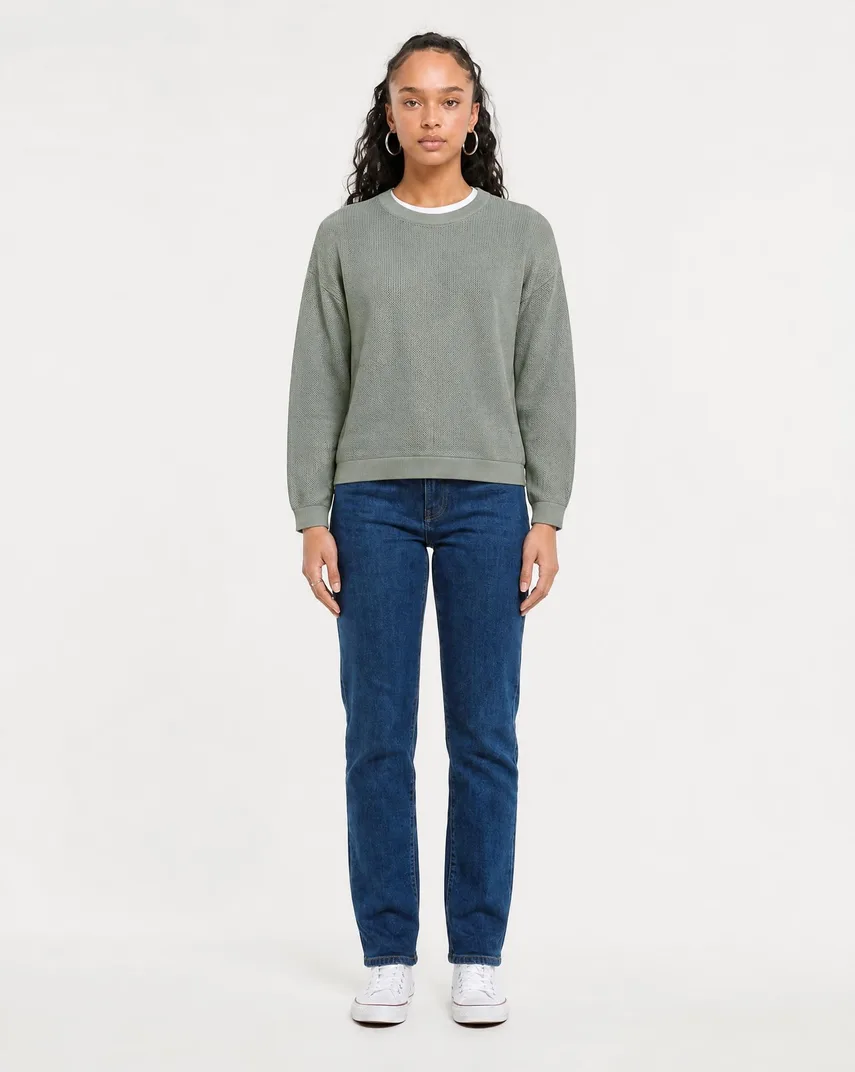

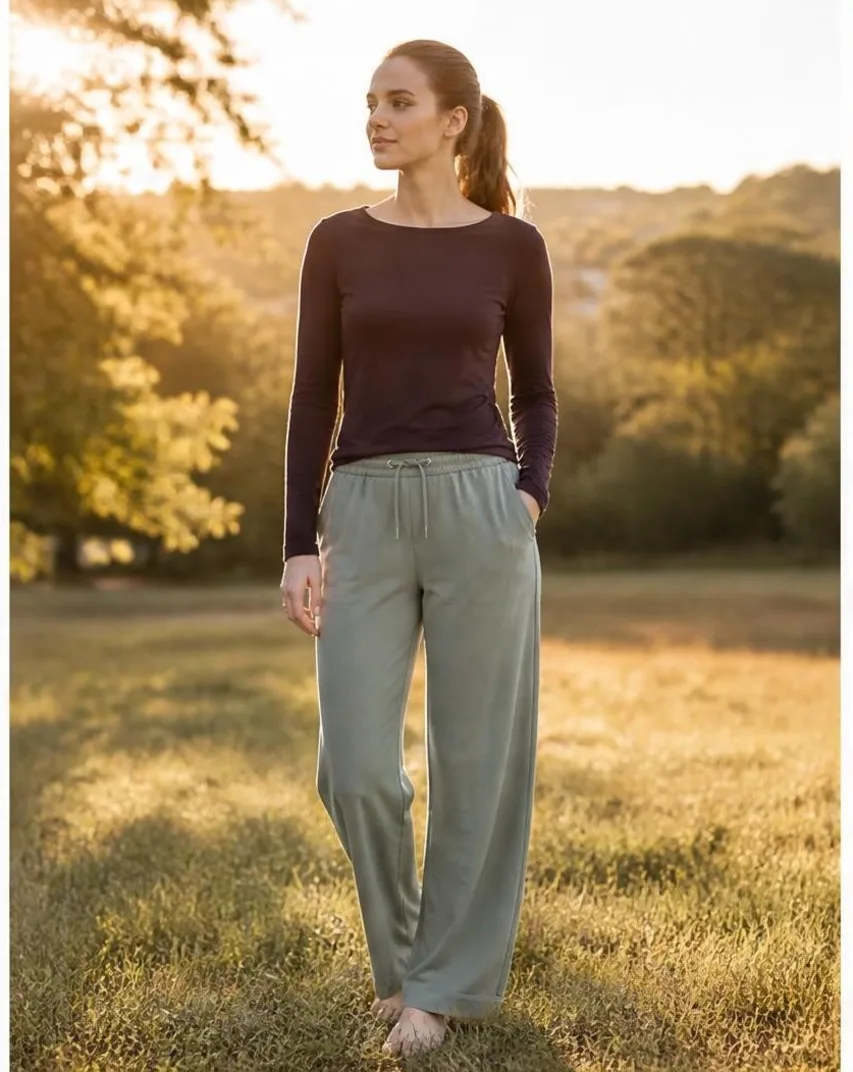
Nothing here was staged for the demo: the agent used the same MCP tools, the same catalog, and the same prepaid wallet any connected agent gets. Each grid costs $1 plus compute and that dollar is credited toward the first image delivered from it, so delivering at least one shot per grid works out at $1 per finished image. No subscription, and every new account starts with $10 in credit.
Calling an image model is the easy part
The real work is everything around the pixels: finding the right product, tracking outfit state, polling long jobs, reviewing candidates, retrying, editing, and delivering the final file. GridShot MCP hands agents that whole workflow, not just a render call.
Product and model lookup
An agent has to find the exact garment and the right model before it can generate anything. GridShot exposes searchable catalog and model discovery, so the agent works from your real inventory instead of guessing.
Job lifecycle and state
Try-on generation is asynchronous. Grids queue, run, and sometimes wait for approval. The agent polls a single operation for status and knows exactly when a result is ready — no brittle timing assumptions.
Review, retries, and delivery
Production means reviewing candidates, refining what is close, editing what needs a fix, and delivering one high-resolution file. Each of those is a full step of its own, with its own cost and its own controls.
One workflow, end to end
A single agent run moves from catalog lookup to a delivered, high-resolution image. Every step is a discrete, observable tool call.
- 01
gridshot.search_modelsgridshot.search_garmentsFind the model and garments in your catalog
- 02
gridshot.estimate_tryonFreePreview the cost before spending anything
- 03
gridshot.create_tryonIdempotency-Keymax_cost_centsGenerate a try-on grid with a spend ceiling
- 04
gridshot.get_operationqueuedrunningcompletedPoll one operation until the grid is ready
- 05
gridshot.get_grid_previewgridshot.get_candidate_previewReview the grid and its individual candidates
- 06
gridshot.refine_gridRefine the grid when a look is close but not final
- 07
gridshot.deliver_candidateDeliver the chosen shot in high resolution

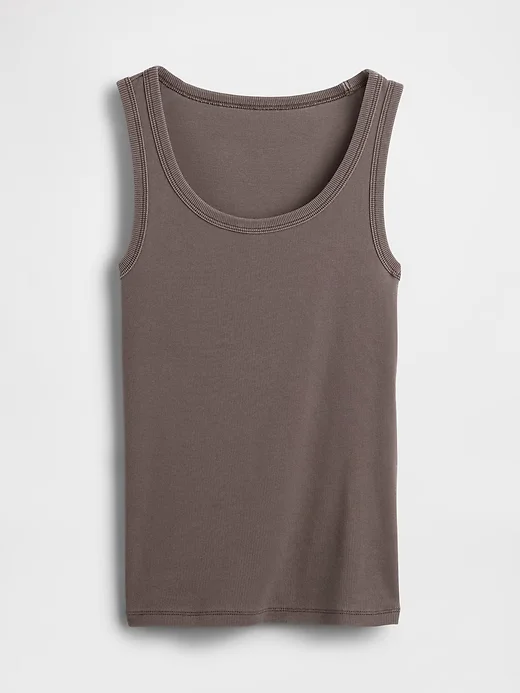
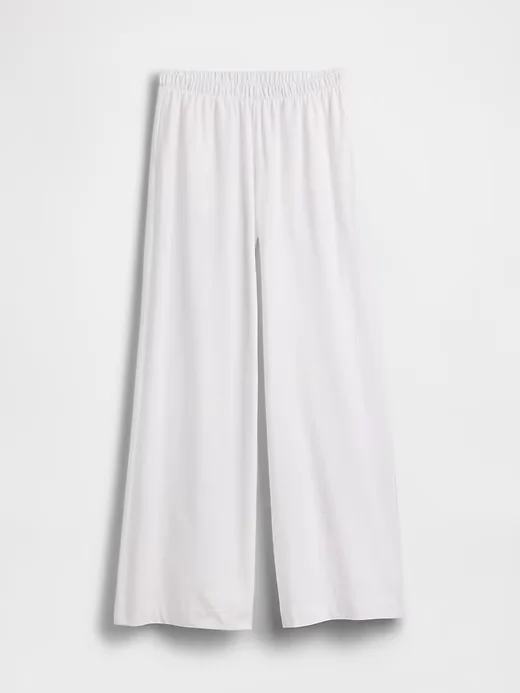
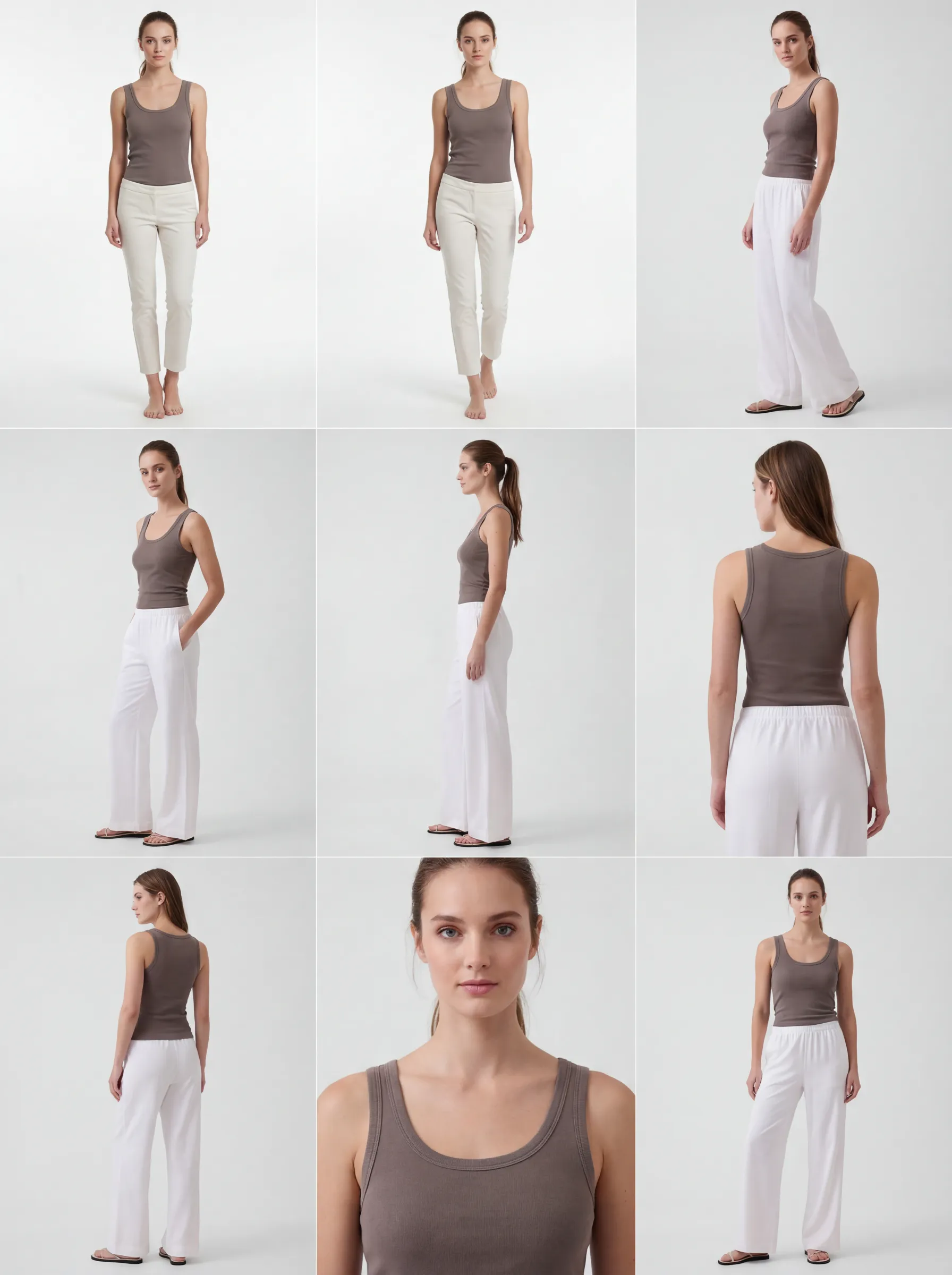


These are real outputs from this workflow, produced with the same tools an agent calls.
What agents can do
Sixteen tools cover the full production arc — discovery, composition, generation, review, refinement, and delivery.
Discover
Search your model library and garment catalog to pick the exact pieces a shot needs.
gridshot.search_modelsgridshot.search_garmentsCompose and estimate
Assemble a model with one or more garments and preview the cost before any spend.
gridshot.estimate_tryonGenerate
Create a try-on grid of candidates and track the asynchronous job through to completion.
gridshot.create_tryongridshot.get_operationReview
Pull the finished grid and inspect individual candidates through short-lived preview links.
gridshot.get_grid_previewgridshot.get_candidate_previewRefine and edit
Refine a grid into a sharper one, or apply a targeted, coordinate-based edit to a single artifact.
gridshot.refine_gridgridshot.edit_artifactDeliver
Turn the approved candidate into one publish-ready, high-resolution image.
gridshot.deliver_candidateWhy not just a try-on API?
A raw image endpoint answers one question: render this. Production needs the questions around it answered too.
A bare image endpoint
Takes an input, returns pixels. Your agent still has to find products, hold outfit state, invent polling, build review and retry logic, and figure out delivery — all on its own.
An operator layer
Discovery, cost estimation, generation, polling, review, refinement, and delivery are all modeled as tools over shared workspace state. The agent orchestrates a workflow instead of stitching one together.
Human-governed automation
Agents move fast; you stay in control. Spend, permissions, approvals, and history are enforced by GridShot, not by the agent.
A ceiling on every spend
max_cost_centsEvery paid action carries a maximum cost you set. If the real cost would exceed that ceiling, the call is refused rather than charged.
Least-privilege permissions
Each connection is limited to the scopes it was granted. An agent given read access to your catalog can never spend or deliver on your behalf.
Approval when it matters
approval_requiredSome jobs pause and wait for a human decision before they continue, so a run can require sign-off instead of proceeding unattended.
A full trail
Every product, model, job, and asset an agent touches is the same record your team sees in the app — visible, attributable, and reviewable after the fact.
One workspace, three ways in
The products, models, jobs, and assets an agent works with over MCP are the exact same ones you manage in the GridShot app and over REST. No separate agent silo, no divergent state — one workspace, whether a person or an agent is driving.
Tool reference
Sixteen tools, grouped by the permission scope each one requires. Estimates and previews are free; just four tools ever spend.
No scopegridshot.get_capabilitiesFreeReport the tools, scopes, and limits the current connection can use.
catalog:readgridshot.search_modelsFreeSearch your model library for the right cast for a shot.
gridshot.search_garmentsFreeSearch your garment catalog for the exact products to feature.
tryon:readgridshot.get_operationFreeCheck the status of an asynchronous job and learn when to poll again.
gridshot.get_gridFreeRetrieve a finished grid and its candidates.
gridshot.get_grid_previewFreeGet a short-lived preview link for a whole grid.
gridshot.get_candidate_previewFreeGet a short-lived preview link for a single candidate.
tryon:generatetryon:readgridshot.estimate_tryonFreePreview the cost of a try-on grid before generating it.
gridshot.create_tryonPaidGenerate a grid of try-on candidates from a model and garments.
gridshot.estimate_refinementFreePreview the cost of refining an existing grid.
gridshot.refine_gridPaidGenerate a refined grid from an existing one.
candidate:delivertryon:readgridshot.estimate_deliveryFreePreview the cost of delivering a candidate in high resolution.
gridshot.deliver_candidatePaidProduce one publish-ready, high-resolution image from a chosen candidate.
artifact:edittryon:readgridshot.preview_annotationsFreePreview coordinate-based annotations on an artifact before editing it.
gridshot.estimate_editFreePreview the cost of a targeted edit to an artifact.
gridshot.edit_artifactPaidApply one targeted, coordinate-based edit to an artifact.
Read tools need just their read scope. The three write capabilities — generate, deliver, and edit — additionally require the matching read scope, so an agent can always see what it just changed. Reading capabilities needs nothing more than a valid connection.
tryon:readtryon:generatecandidate:deliverartifact:editcatalog:readBuilt for developers
A standards-based connection with OAuth, discovery, and predictable errors.
https://mcp.grid-shot.com/mcp2025-06-18User-driven agents connect with the authorization code flow and mandatory proof-key protection; server-side workloads use the client-credentials flow. Access tokens are short-lived, and refresh tokens rotate on every use.
https://grid-shot.com/.well-known/oauth-authorization-serverSupported clients
The Claude Code CLI is tested end to end — OAuth sign-in, consent, and tool calls all work. The claude.ai and Claude Desktop custom connector is provisioned as a registered client but is not yet verified. Other registered clients may connect but are not yet verified, and open client registration is disabled.
Asynchronous by design
Generation runs as a job. The agent polls a single operation, which reports its state and tells the agent how long to wait before checking again.
queuedrunningapproval_requiredcompletedfailedcancelledPredictable errors
Missing permissions, insufficient balance, and exceeded cost ceilings come back as structured tool errors that say exactly what went wrong. A retry flag tells the agent when it is safe to try again.
INSUFFICIENT_SCOPEINSUFFICIENT_WALLET_BALANCECOST_LIMIT_EXCEEDEDretryableSecurity and governance
Short-lived credentials, signed links, and scope checks on every call.
Short-lived access tokens
Access tokens expire within minutes, so a leaked token is useless almost immediately. Refresh tokens rotate, and a replayed one revokes its whole family.
Signed, expiring links
Preview and download links are signed and short-lived, and full-resolution images are never returned inline. Agents re-request a fresh link instead of caching one.
One-time service secrets
Service-account secrets are shown exactly once and stored as a one-way digest. Rotating a secret revokes the old one immediately, with no overlap window.
Scope checks per tool
Every tool verifies the connection holds the right permission before it runs. A connection can never reach beyond the scopes it was granted.
Costs and limits
Estimates are always free. Four actions can spend money, and each one names its own price.
FreeFree to explore
Every estimate and every annotation preview is free and never reserves funds or calls the image provider. An agent can plan and price a whole run before committing to anything.
PaidFour paid actions
Generating a grid, refining a grid, delivering a high-resolution shot, and editing an artifact are the actions that spend. A grid costs $1 plus compute, and that dollar is credited toward the first shot delivered from it. One generation produces a single grid of nine candidates; delivery renders one high-resolution file. Costs are quoted in US cents.
gridshot.create_tryongridshot.refine_gridgridshot.deliver_candidategridshot.edit_artifactEvery paid action requires a cost ceiling and a uniqueness key, so retries never double-charge and spend never exceeds what you allowed.Idempotency-Keymax_cost_cents
Get started in three steps
Self-serve today — create an account, connect your agent, and run your first try-on. No approval step and no access request needed.
Create a free account
Sign up for GridShot in about a minute. Every new workspace starts with $10 in credit, so you can explore and run real try-ons before spending your own money.
Connect your agent
Open Settings → MCP in the app and follow the built-in getting-started guide to connect Claude Code or create a service account for unattended, server-side workloads.
Run your first try-on
Point your agent at your catalog and generate your first 3×3 try-on grid — from catalog discovery all the way to a delivered, high-resolution shot.
Frequently asked questions
What is the GridShot MCP server?
It is a connection that lets AI agents run GridShot as a fashion production workflow — discovering products and models, generating try-on grids, reviewing, refining, and delivering high-resolution images — through a standard agent protocol, with your workspace controls enforced throughout.
Has an AI agent really produced fashion photography over this MCP server?
Yes. On 8 August 2026 an agent ran the whole workflow in production — catalog search, virtual try-on grid generation, preview review, and high-resolution delivery — and produced the 13 images now running on our homepage. It used the same tools, catalog, and wallet any connected agent gets: $1 per published image plus a few cents of AI compute, with each grid billed at $1 and credited toward the first image delivered from it.
Which agents and clients can connect?
The Claude Code CLI is verified end to end. The claude.ai and Claude Desktop custom connector is provisioned as a registered client but is not yet verified. Other registered clients may work but are not yet verified. Open client registration is turned off, so every connection is one you or a workspace admin approved.
How does billing work over MCP?
Estimates and annotation previews are always free and never reserve funds. Four actions can spend — generating a grid, refining a grid, delivering a shot, and editing an artifact — and each one requires a cost ceiling, so an agent can never spend more than you allow. A grid is $1 plus compute, credited toward the first shot delivered from it, so an agent that delivers from every grid it runs pays $1 per finished image.
Do agents run fully on their own?
No. This is human-governed automation. Agents do the busywork, but per-task cost limits, permission scopes, and approval steps are enforced by GridShot, and some jobs pause for a human decision before they continue.
How do I get started?
Create a free GridShot account — every new workspace starts with $10 in credit — then open Settings → MCP in the app. From there, follow the built-in getting-started guide to connect an MCP client or create a service account for unattended, server-side workloads. There is no approval step and no access request to file.
Where can I see everything an agent can do?
The tool reference on this page lists all sixteen tools, the permission scope each one requires, and which are free versus paid. It is the clearest way to understand the full surface before you connect.
Bring your agents to fashion production
GridShot MCP is in open beta — you can connect an agent today, and it is still maturing. Create a free account and put the full try-on-to-delivery workflow in reach of your agents.