GridShot demo
From product photo to AI model image.
Watch GridShot in action, then explore the workflow and a real example below.
The video is hosted on YouTube. Playback loads content from YouTube (Google); their privacy policy applies once you press play.
Watch on YouTubeYour product-to-model workflow
Use this short checklist when trying your own garment.
- 1
Start with clear garment photos
Use sharp product photos with visible edges and details. Add garment information that matters for the fit.
- 2
Choose a model and explore poses
Generate model images and pose grids. Compare cuts, lengths, colours and details with the source photos.
- 3
Refine, select and check
Correct unwanted details and select the image you want to deliver. Review the result before publishing it.
From flat-lay to finished shot
One example from GridShot: two flat-lay product photos, reviewed variations, and a delivered model image.
1. Input
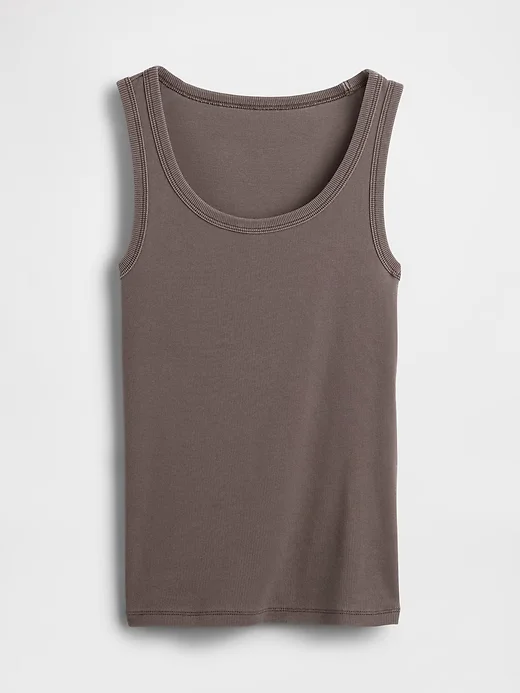
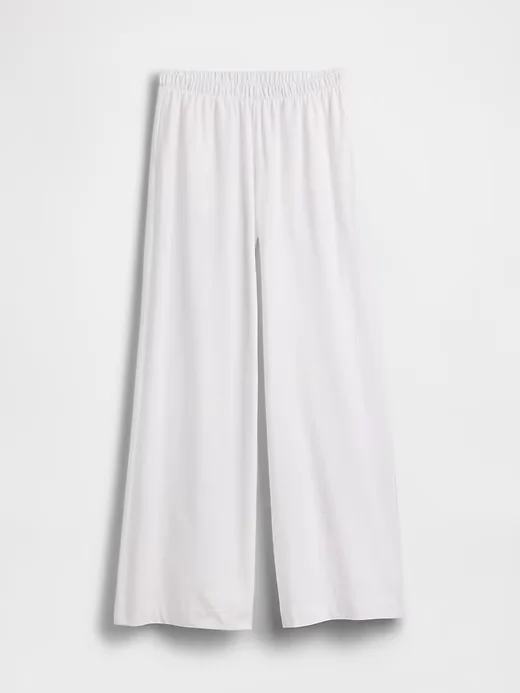
Upload the top and trousers as separate product photos, then choose a model.
2. Review and refine
Image generated with AI.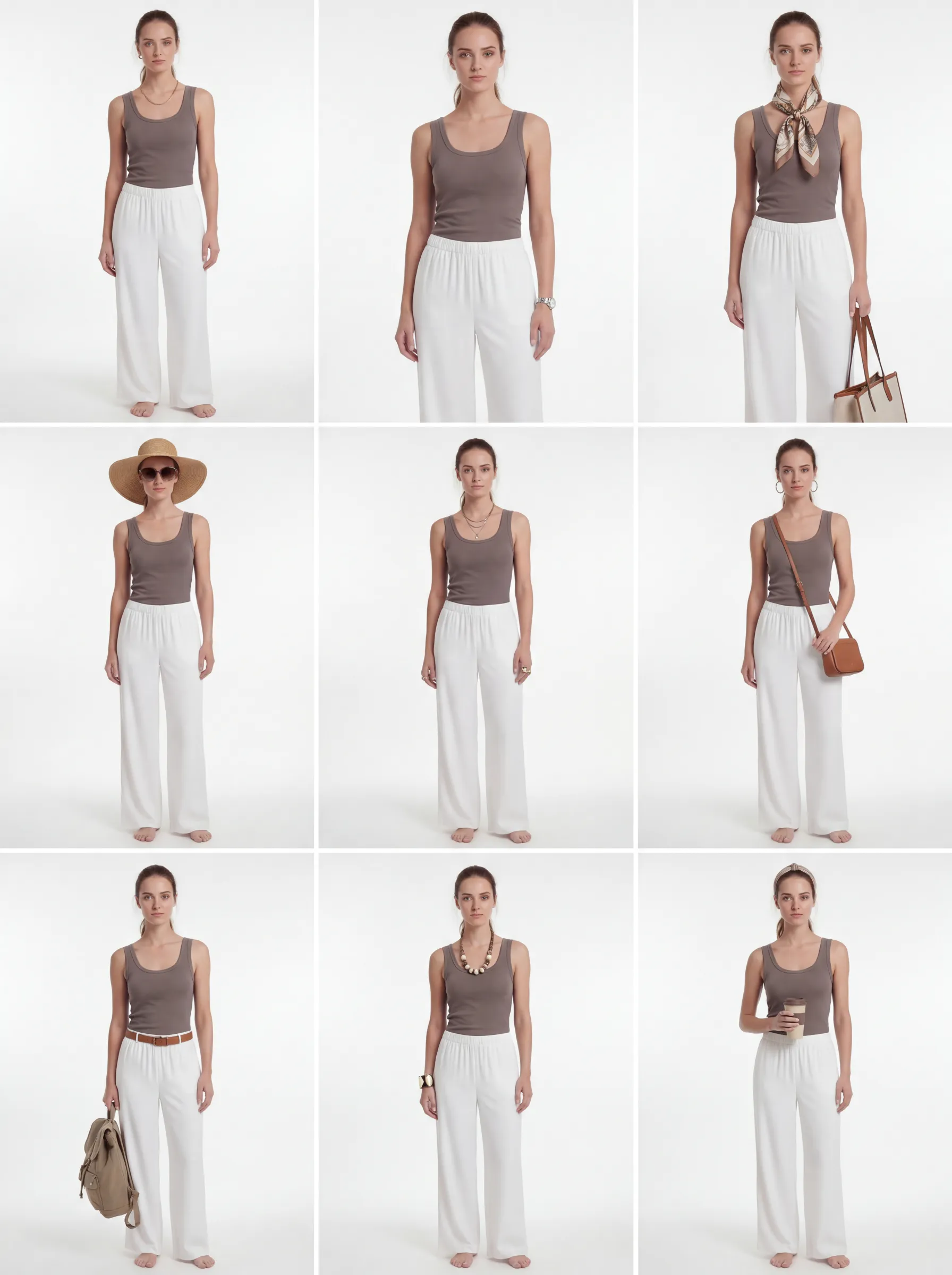
The refined grid explores styling variations. Compare each candidate with the original garments before selecting it.
3. Delivered
Image generated with AI.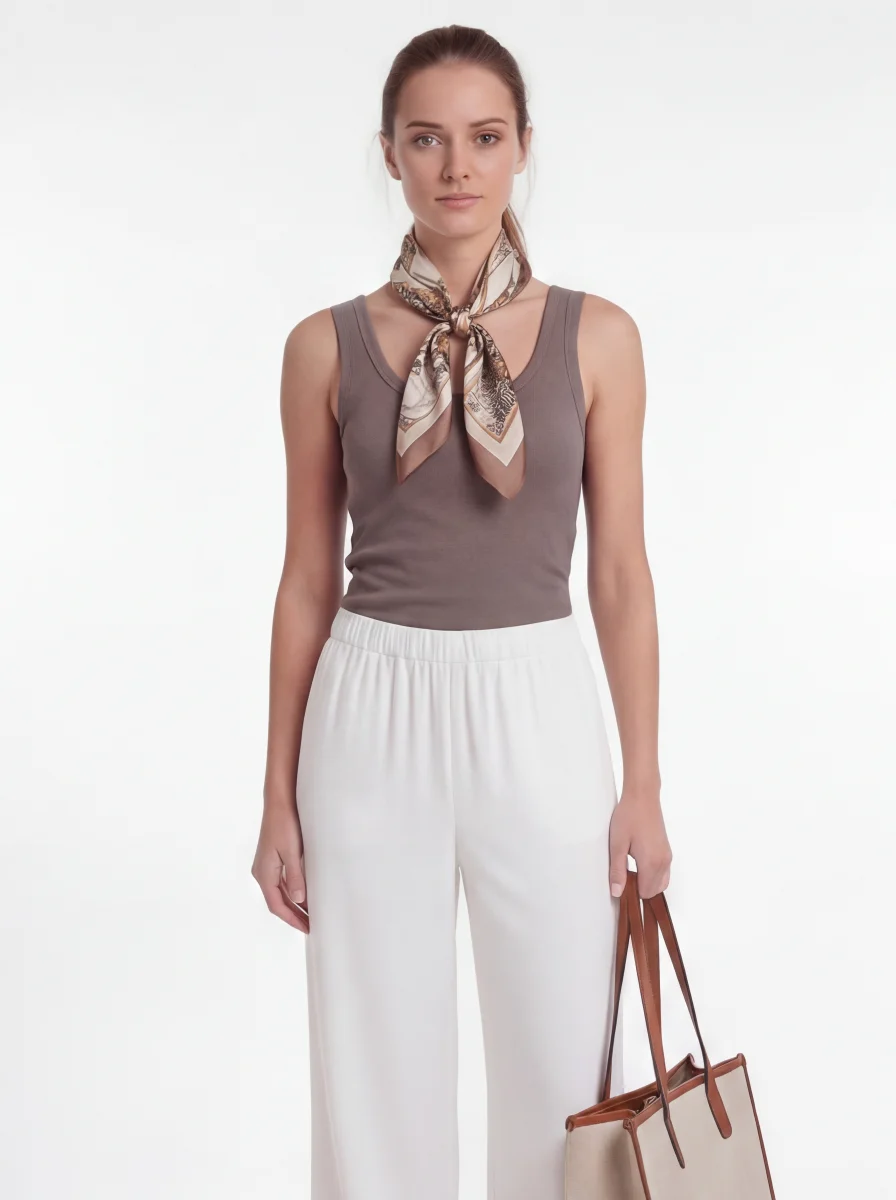
This selected result includes a scarf and bag added during styling. They are not part of the two source products. Check garment details before publishing.
See the first grid and what needed review
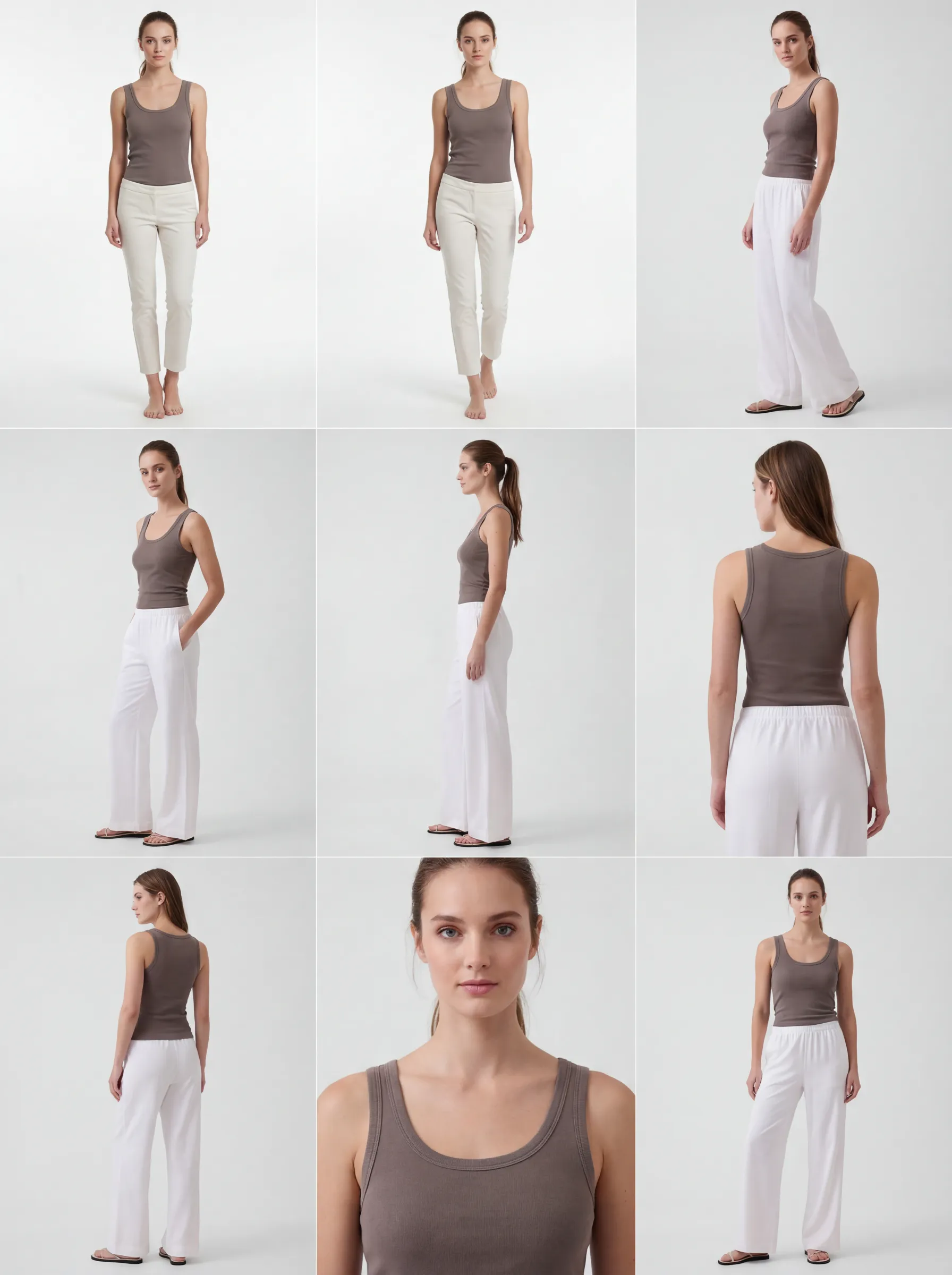 Image generated with AI.
The first two candidates show narrower, shorter trousers than the source photo. This is why selecting and reviewing images is part of the workflow. The refined grid above shows the subsequent styling variations.
Your first product test
Start with one garment.
Choose a product you know well. One clear test will help you decide whether GridShot fits your image workflow.
Bring these three things
- Clear product photos: front, back and a detail view where available.
- What must stay accurate: cut, length, colour, print and small details.
- One intended use: a shop image, a lookbook or a social post.
Judge the result against your product
Choose a model, generate variations and compare them with your source photos. Refine a candidate and deliver your selection when you are satisfied. Check it again before publishing.
New accounts receive USD 10 in one-time credit. No credit card required.
This credit pays for image fees and AI compute. More generations and refinements use credit too. You choose whether to top up later; there is no subscription.
See exactly how pricing works